
Event photo wall
A live photo wall for your event, made of your guests’ pictures.
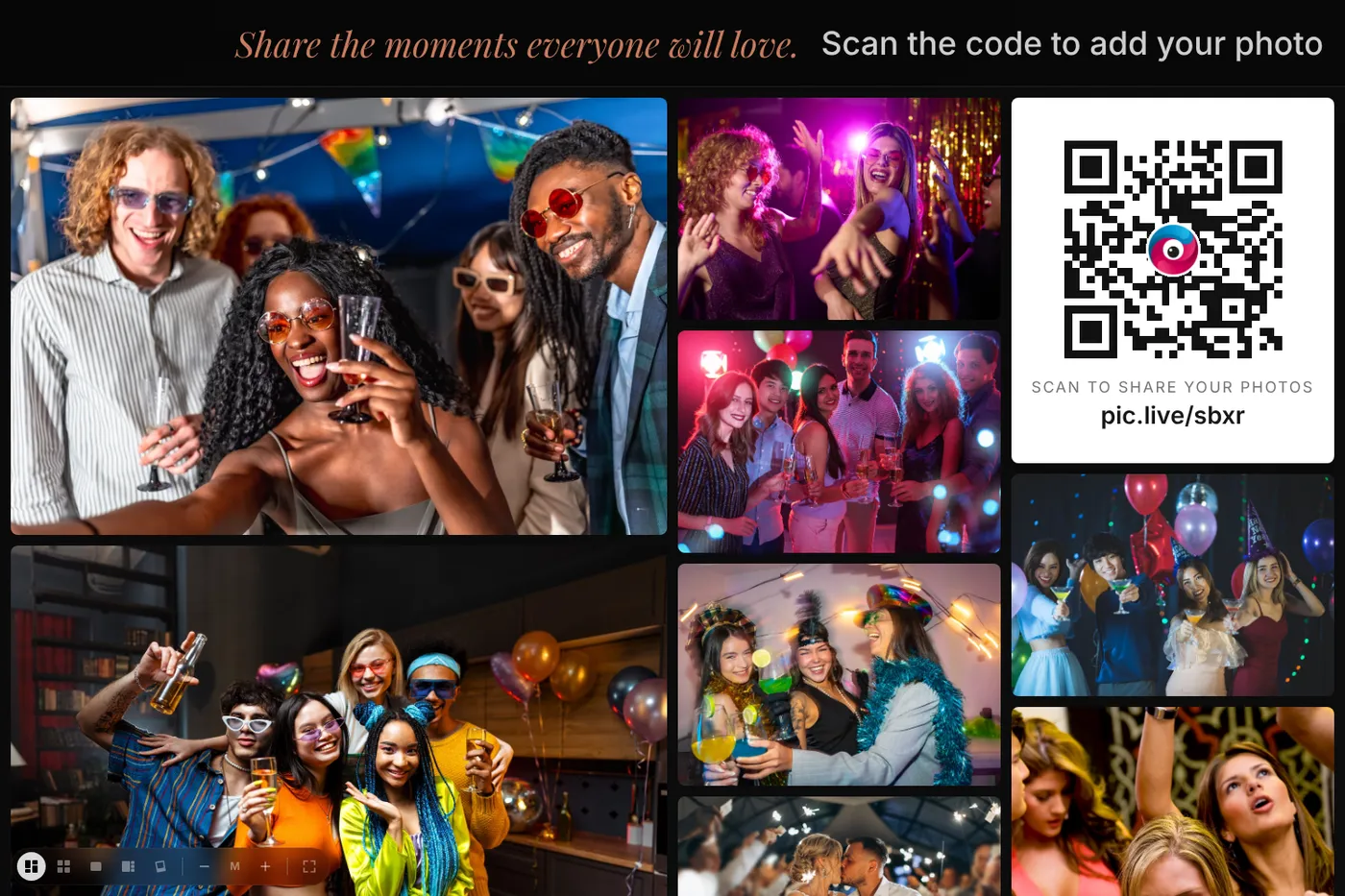
PicPost turns any TV, projector, or venue screen into a live photo wall — a picture wall that fills up as the party happens. Guests scan a QR code and share from their phones, and their photos appear on the wall as soon as they pass a quick automatic check. People gather around it, laugh, and go take more.
What makes a great event photo wall
Works on the screen you have
If it can open a web page, it can run the wall: a smart TV, a laptop plugged into a TV, a projector, or an LED wall.
Choose the look
A moving mosaic, a tidy grid, or a full-screen slideshow. Add your event name, a logo, a background image, and your colors.
The QR code is on the wall
A QR code tile sits right on the wall, so anyone watching can scan it and add their own photos.
How it works
Three steps for your guests. That’s all.
Guests scan the QR code
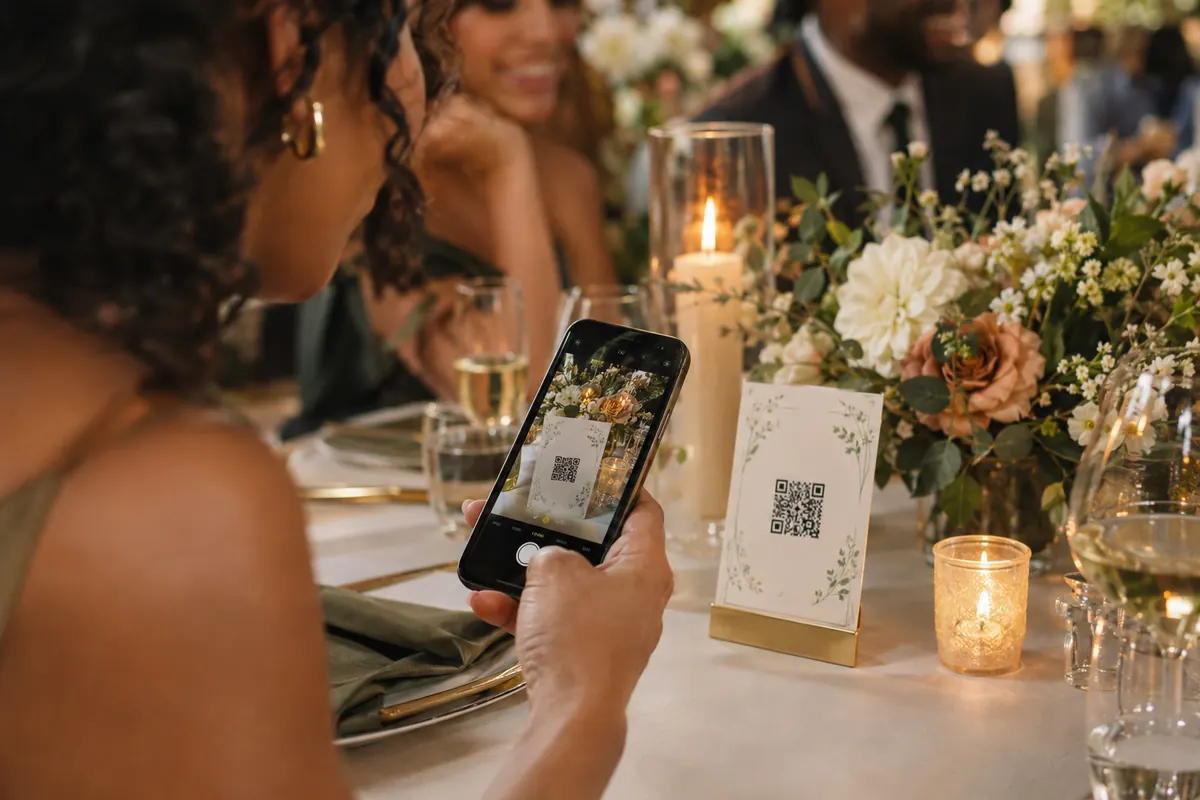
Put PicPost’s QR code on tables, signs, or your invitation. Guests point their phone camera at it — nothing to download, no account to create.
They share their photos
They type their first name and choose photos from their phone, iPhone or Android. Each photo is checked automatically before it appears.
Everyone watches it come together
Photos appear on a live photo wall, on as many TVs, projectors and screens as you like. After the party, you download the whole collection.
A photo booth alternative everyone can join
A photo booth serves one group at a time. A live photo wall turns every guest’s phone into a camera, so the whole room contributes — and the screen keeps changing all night.
Running the wall at your event
- Buy your event (or start free) and open your wall link from your PicPost dashboard.
- Open the link on the screen at the venue and make it full screen.
- Put QR cards around the room. The wall shows its own QR code, too.
- Choose whether photos appear after the automatic check, or only after you approve them.
- Afterward, download every photo as one .zip file.
Which size do I need?
Choose by your guest count: Free for up to 40 guests, Small for up to 100, Medium for up to 250, Large for up to 500, or Unlimited.
Free covers up to 40 guests and 500 photos, with no card needed. Small is $49 for up to 100 guests, Medium is $79 for up to 250, Large is $129 for up to 500, and Unlimited is $399. One-time price, no subscription.
Compare sizesQuestions about the event photo wall
What’s the difference between a photo wall and a picture wall?
Nothing — people use both names. With PicPost, the wall is a live slideshow of the pictures your guests share, shown on a TV or projector instead of printed on a board.
What equipment do I need?
Just a screen with a web browser and an internet connection — a smart TV, a laptop connected to a TV or projector, or the venue’s screen.
How fast do photos show up?
Usually within seconds of a guest sharing, once the automatic check is done. If you turn on approval, a photo appears as soon as you approve it.
Can I try it before my event?
Yes. Open our live demo at picpost.app/demo, scan the QR code with your phone, and watch your photo appear.
Can my DJ or AV team run the wall?
Yes. The wall is just a link, so you can send it to whoever runs the screen. DJs and event pros can also join our partner program.


Give every guest a way to share.
Set up in minutes. Guests share from the moment they arrive. You keep every photo.